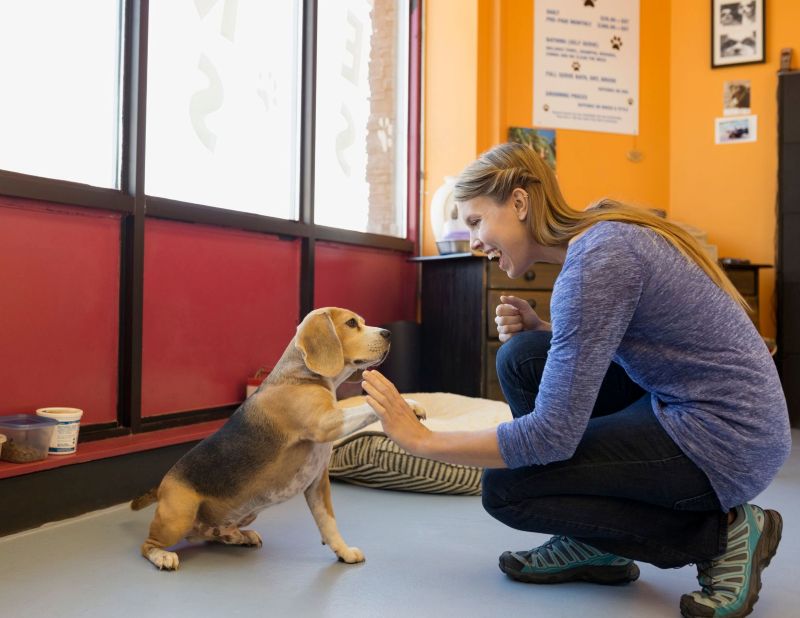
The morning rush can be one of the busiest parts of the day at a dog daycare. Multiple pets may arrive within a short period of time, while staff members are also answering questions, helping pet parents, and getting pets settled into their day.
When check-in requires several steps for every pet, those small tasks can quickly add up.
A streamlined check-in process can help your team spend less time on administrative work and more time focusing on the pets in their care. This is one area where dog daycare software can make a meaningful difference.
Why Daycare Check-In Can Become Time-Consuming
Checking in a single daycare pet may only take a few moments. The challenge comes when you repeat that process dozens of times throughout a busy morning.
Staff may need to:
- Find the correct client and pet
- Create or locate the day’s appointment
- Confirm the daycare service
- Assign the appropriate room or area
- Review feeding, medication, or care instructions
- Add additional services
- Check the pet in
None of these tasks are particularly complicated on their own. However, repeating them throughout the day can take up a significant amount of staff time.
A good check-in process should reduce unnecessary repetition while still giving employees access to the information they need.
Use Previous Appointments to Save Time
Many daycare pets are regulars. Their appointments may look very similar from one visit to the next, including the type of daycare, room, feeding instructions, or additional services.
Instead of entering all this information from scratch, dog daycare software can use information from previous appointments as a starting point.
For example, a regular daycare pet may typically have the same full-day service and additional care instructions. Pulling those details into the new appointment gives staff the opportunity to quickly review the information and make changes if something is different that day.
This approach can reduce repetitive data entry while still allowing staff to verify that the information is correct.
Make It Easier to Handle Multiple Arrivals
A busy daycare doesn’t always have the luxury of checking in one pet at a time.
If several pets arrive together, being able to work with multiple appointments from the same screen can make the process more efficient.
For example, a quick check-in tool may allow staff to search for multiple pets, select the pets that have arrived, and create their appointments together. Depending on the needs of the facility, staff can then check those pets in at the same time.
This can be particularly helpful during predictable rush periods, such as weekday mornings.
Keep Flexibility in the Process
Daycare schedules can change from day to day. A pet that normally stays for a full day might only be attending for a half day. A pet may need a different room, an additional service, or updated care instructions.
That’s why an efficient check-in process should make it easy to adjust appointment details before completing the check-in.
Using previous appointment information can provide a helpful starting point, but staff should still be able to review and update the details for the current visit.
Keep Important Information Accessible
Check-in isn’t just about getting a pet onto the schedule. It’s also an opportunity for staff to make sure they have the information needed to provide appropriate care.
Depending on the pet and facility, this could include:
- Feeding instructions
- Medication information
- Exercise requirements
- Daycare room or run
- Additional services
- Departure instructions
Having this information available as part of the appointment process can help reduce the need to search through multiple places for basic care details.
What to Look for in a Daycare Check-In Process
If you’re evaluating dog daycare software, check-in is one area worth paying attention to.
Consider whether the software allows your team to:
- Find clients and pets quickly without navigating through multiple screens.
- Reuse information from previous appointments when appropriate.
- Check in multiple pets when several customers arrive together.
- Make changes easily when a pet’s plans are different from their previous visit.
- Access important care information during the check-in process.
- Continue working efficiently if staff members need to move between different tasks.
A More Efficient Start to the Day
For a busy dog daycare, small improvements to everyday processes can add up. Reducing a few steps from every check-in can save staff time over the course of a week, month, or year.
Tools such as Daycare Quick Check-In in Kennel Connection Cloud are designed around this type of workflow. Staff can search for pets, select multiple daycare appointments, use previous appointment information as a starting point, make necessary adjustments, and check pets in without repeating every step individually.
Ultimately, the best check-in process is one that works with the way your team already operates, helping them spend less time managing administrative tasks and more time caring for the pets who walk through the door each day.